
How it works
Whether you're hosting or just showed up at a party and want to join in, it's easy and there's no app to install.
Get It On Your TV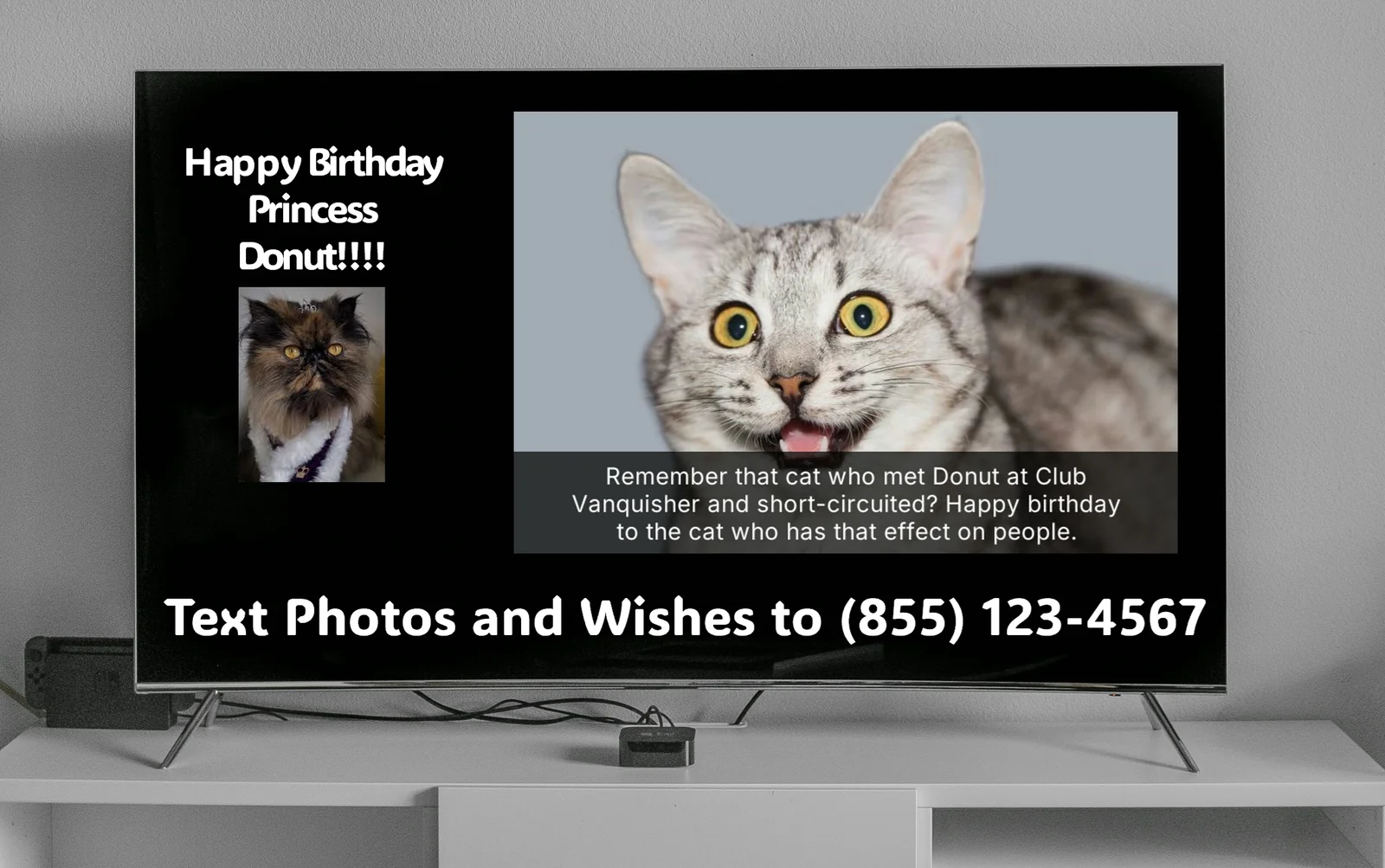
What guests can do
Share photos
Share text wishes(optional)
Like a photo
Climb the leaderboard(optional)
Party photo gallery
Add AI captions(optional)
How to participate
text2tv Party is a shared TV feed for events. When you text the number on screen, your photo or wish might appear on the TV for everyone to see.
1
Step 1
Find the text2tv phone number on the host's TV.
2
Step 2
Text a photo, a wish, or both to that number.
3
Step 3
Your message appears on the TV. Other guests start joining in instantly.
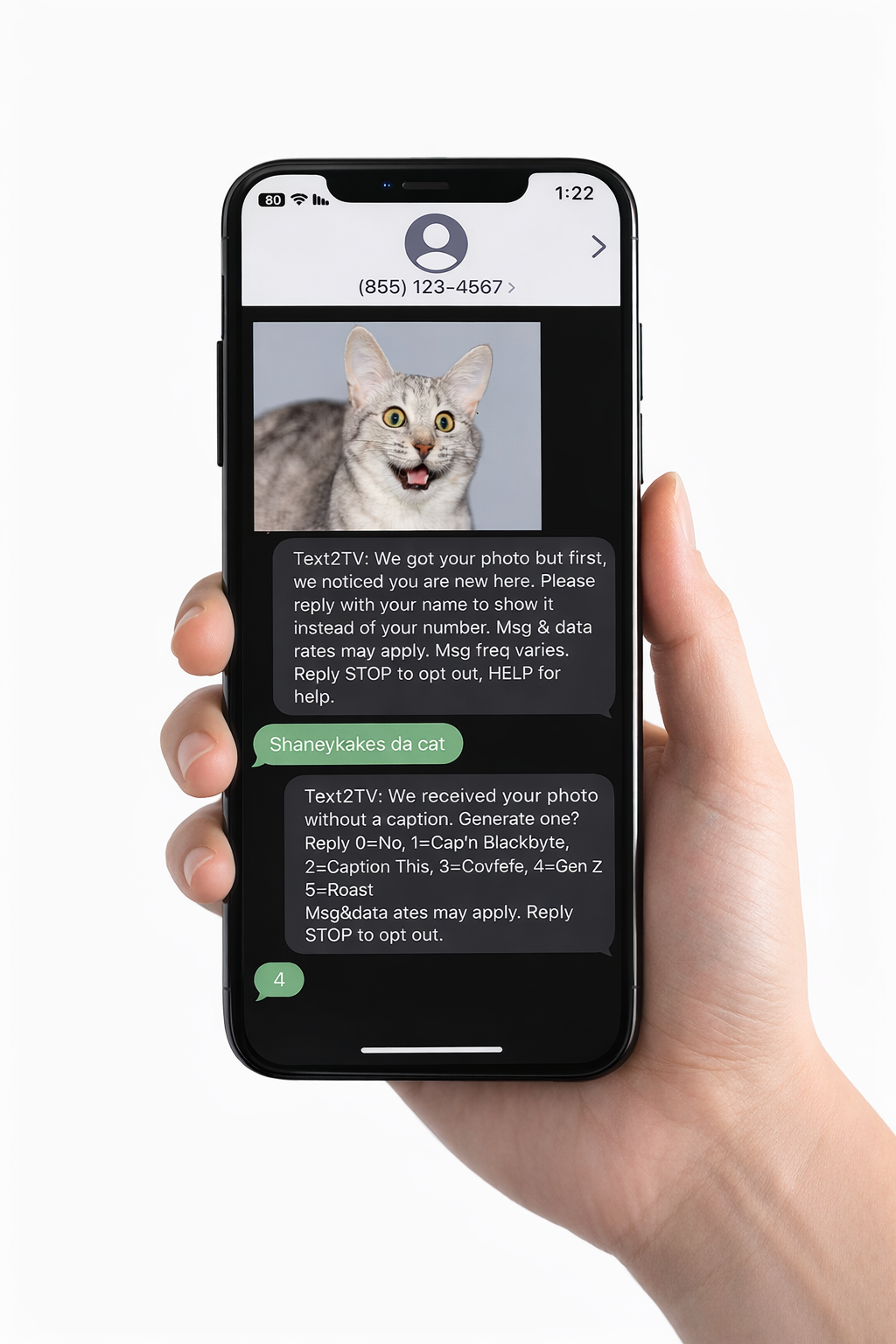
By sending a message, you consent to receive SMS replies related to your participation. Message frequency varies. Message and data rates may apply. Reply STOP to opt out at any time. Reply HELP for assistance.